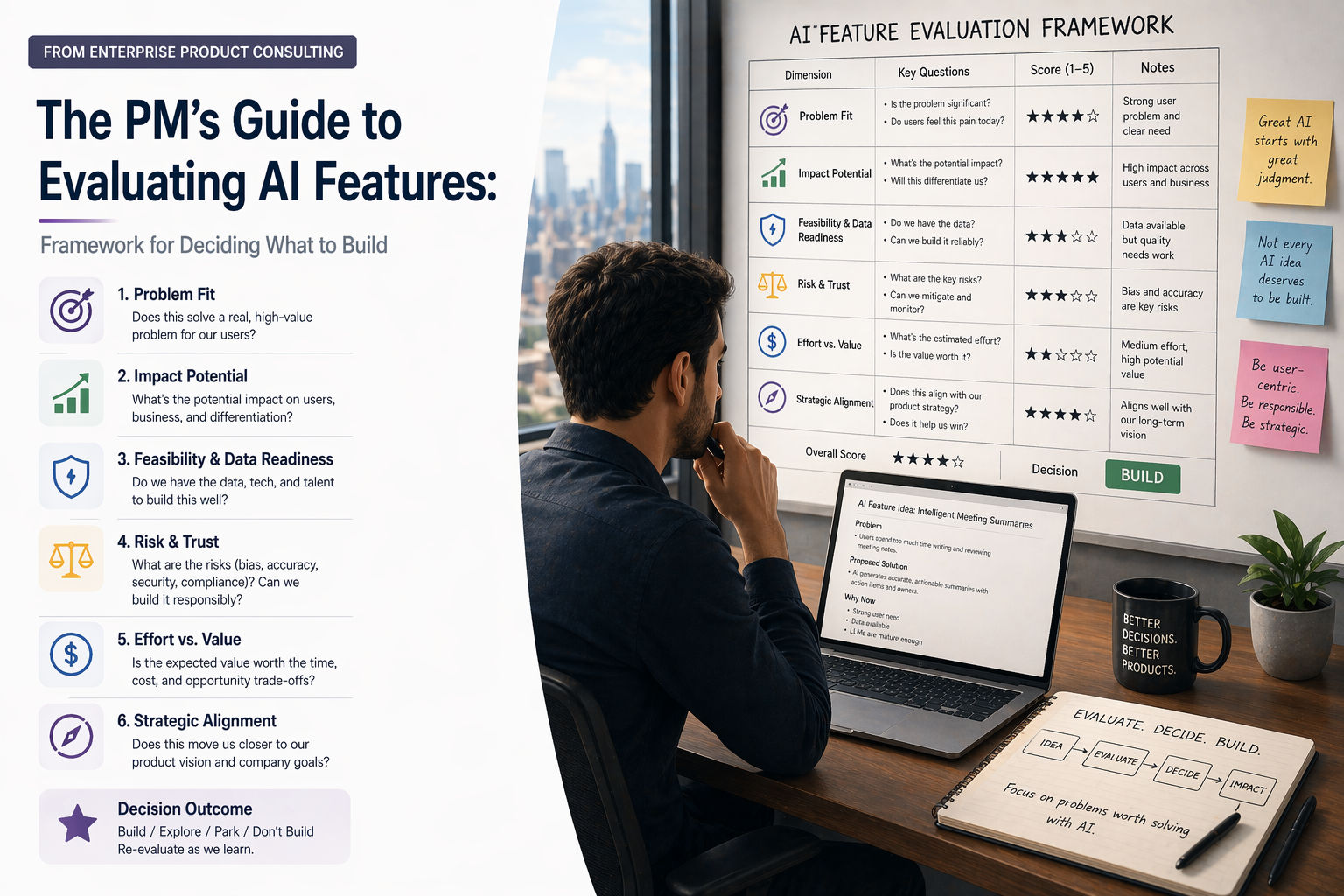
The PM's Guide to Evaluating AI Features: Framework for Deciding What to Build
30-second summary available
95% of generative AI initiatives fail to generate meaningful returns. Here's the four-filter framework, scoring matrix, and cost model I use to decide which AI features are worth the roadmap space.
Your CEO just came back from a conference. "We need to add AI to the product." Your VP of Sales wants an AI copilot. Your head of engineering is pitching a recommendation engine. A customer asked for "something with ChatGPT." You have four AI feature requests, zero evaluation framework, and a roadmap that was already full. Welcome to the hardest product decision of 2026 — not whether to build AI features, but which ones are actually worth building.
95% of generative AI initiatives fail to generate meaningful financial returns. The cost of building software has dropped dramatically because of AI-assisted coding — which means the most expensive thing you can do is build the wrong thing. This guide gives you a practical framework for evaluating AI features before they consume your roadmap, your engineering time, and your credibility.
In This Post
- Why AI feature decisions are different from regular feature decisions
- The four filters: how to kill bad AI ideas early
- The AI feature evaluation scorecard
- The build vs buy vs prompt decision
- The cost iceberg: what AI features actually cost
- The failure mode map: what can go wrong
- Real examples: AI features I've evaluated (and what I decided)
- The one-page decision template
- The bottom line
Why AI Feature Decisions Are Different
Traditional feature decisions follow a familiar pattern: does the user need this, can we build it, and does it make business sense? AI features add three dimensions that most PMs aren't trained to evaluate.
Probabilistic, not deterministic. A traditional feature either works or it doesn't. A search bar returns results or it doesn't. An AI feature works 85% of the time and produces confidently wrong output 15% of the time. How you handle that 15% — and whether 85% accuracy is good enough for your use case — is the entire product decision.
Ongoing cost, not one-time cost. A traditional feature costs engineering time to build and near-zero to run. An AI feature costs money every time a user interacts with it — every API call, every inference, every token processed. The more successful your AI feature becomes, the more expensive it gets. AI Dungeon learned this the hard way — they built a viral AI product that became more expensive with every new user.
Quality degrades unpredictably. A traditional feature doesn't get worse over time. An AI feature can — models get updated, training data drifts, prompt behaviour changes between versions. The feature you shipped in March might behave differently in June, with no code changes on your side.
| Dimension | Traditional Feature | AI Feature |
|---|---|---|
| Behaviour | Deterministic — same input, same output | Probabilistic — same input, different output possible |
| Running cost | Near-zero after deployment | Per-inference cost that scales with usage |
| Quality over time | Stable unless code changes | Can drift with model updates and data changes |
| Error handling | Binary — works or returns error | Spectrum — can be subtly wrong with high confidence |
| Testing | Unit tests, integration tests | Evals — statistical quality measurement across test sets |
| User trust | Built through reliability | Requires transparency about AI limitations |
| Maintenance | Fix bugs when reported | Monitor accuracy, retune prompts, update evals continuously |
The Four Filters
Before any AI feature gets near your roadmap, run it through these four filters. They're designed to kill bad ideas fast, before they consume planning time. This approach is adapted from Mind the Product's 2026 AI strategy guide.
Filter 1: Does This Start With a User Problem?
Most bad AI features are technology-first. They were born as "we should add a copilot" rather than "users waste 3 hours weekly doing X manually." Every AI feature must start with a description of how users solve the problem today.
Write this down before anything else:
- Baseline: "Today, the user does [manual process], which takes [time] and results in [frustration/error/cost]."
- AI target: "With this feature, the user does [new process], which takes [less time] and results in [better outcome]."
If you can't write both sentences with specific details, the feature isn't ready for evaluation.
Filter 2: Is AI the Right Solution?
Not every problem needs AI. Many problems that feel like AI problems are actually search problems, filtering problems, or workflow problems that a well-designed deterministic feature solves better, faster, and cheaper.
| Problem Type | AI Is the Right Tool | AI Is the Wrong Tool |
|---|---|---|
| Processing unstructured text (emails, documents, feedback) | Yes — AI handles ambiguity well | |
| Generating personalised content or recommendations | Yes — AI excels at pattern-based personalization | |
| Classifying or routing items (tickets, leads, inquiries) | Yes — if categories are fuzzy, not fixed | No — if categories are fixed, use rule-based logic |
| Searching structured data (inventory, records, transactions) | No — database queries are faster, cheaper, deterministic | |
| Following a fixed business process (approval chains, calculations) | No — workflows and formulas are more reliable | |
| Making critical decisions (medical, financial, legal) | Maybe — as augmentation with human review | No — as autonomous decision-maker |
The test: if a reasonable set of if/then rules would solve the problem 95% of the time, don't use AI. AI adds value when the input is ambiguous, the patterns are complex, or the output needs to adapt to context.
Filter 3: Can You Measure the Outcome?
AI features need measurable outcomes — not "percentage of users who clicked the AI button." In 2024, many teams defined success as usage metrics. That's not enough for 2026. Your success metric must track whether users actually stopped doing the manual work.
Good metrics:
- "Reduce time to complete onboarding task X by 40% using AI guidance"
- "Reduce tier-1 support tickets about how-to questions by 30%"
- "Increase share of invoices approved without human intervention by 20%"
Bad metrics:
- "50% of users try the AI assistant" (usage doesn't mean value)
- "Increase engagement with AI features" (engagement with what outcome?)
- "NPS improves after AI launch" (too many confounding factors)
Filter 4: Can You Afford the Failure Mode?
Every AI feature will produce incorrect output some percentage of the time. The question isn't whether it fails — it's what happens when it does.
Map the consequence of incorrect output:
| Failure Consequence | Example | Acceptable? |
|---|---|---|
| Mild inconvenience | AI suggests wrong tag for a blog post | Yes — user corrects it easily |
| Wasted time | AI summary misses a key point from a meeting | Probably — if user can review |
| Wrong decision influenced | AI-generated competitive analysis has factual errors | Risky — needs human review step |
| Financial loss | AI auto-approves an invoice that should have been flagged | Dangerous — needs guardrails |
| Safety or legal risk | AI misclassifies a medical or compliance document | Unacceptable without human-in-the-loop |
If the failure consequence is high, you need guardrails: human review steps, confidence indicators, fallback to manual processes, and clear user communication that the output is AI-generated and should be verified.
The AI Feature Evaluation Scorecard
After the four filters, score the remaining features on these seven dimensions. Each dimension is scored 1-5. Features scoring below 21/35 should be deprioritised or redesigned.
| Dimension | Score 1 (Low) | Score 5 (High) | Weight |
|---|---|---|---|
| User pain severity | Nice-to-have automation | Critical pain point with measurable time/cost waste | 2x |
| Data readiness | No relevant data exists, would need to collect from scratch | Rich, clean data already available in the product | 1.5x |
| Accuracy requirement | Must be 99%+ accurate to be useful (medical, financial) | 80% accuracy is valuable, user can easily correct errors | 1x |
| Cost per inference | High cost per call, scales linearly with users | Low cost, or can be cached/batched effectively | 1x |
| Competitive differentiation | Every competitor already has this AI feature | Novel application that creates genuine competitive moat | 1.5x |
| Implementation complexity | Requires custom model training, complex data pipelines | Can be built with API calls to existing models (Claude, GPT) | 1x |
| Reusability | Solves one narrow use case only | Capability can serve 2-3 workflows across the product | 1.5x |
How to use this scorecard:
Score each dimension 1-5, multiply by the weight, and sum. Maximum weighted score is 67.5. Features scoring above 50 are strong candidates. Features scoring 35-50 need refinement. Features below 35 should be deprioritised.
The reusability dimension is critical. As JetSoftPro's AI strategy analysis puts it: a feature solves one user request. A capability reduces effort across the whole product. The strongest AI roadmap items serve multiple workflows, not just one.
Build vs Buy vs Prompt
Once a feature passes evaluation, the next decision is how to implement it. In 2026, there are three options — and PMs consistently choose the most expensive one.
| Approach | When to Use | Cost | Time to Ship | Control |
|---|---|---|---|---|
| Prompt (API call to Claude/GPT) | Feature can be solved with well-structured prompts to an existing model | $0.01-0.10 per call | Days to weeks | Low — model behaviour can change between versions |
| Buy (integrate a specialised tool) | Feature is well-served by an existing product (BuildBetter, Productboard AI, etc.) | $20-100/user/month | Hours to days | Medium — limited to vendor's capabilities |
| Build (custom model or pipeline) | Feature requires proprietary data, fine-tuning, or unique AI behaviour | $50K-500K+ | Months | High — but also high maintenance |
The mistake most teams make: they jump straight to "Build" because it feels more strategic. In reality, 80% of AI features that product teams need can be solved with well-crafted API calls to Claude or GPT. Start with Prompt. Graduate to Buy if you need specialised tooling. Only Build if neither option gives you the accuracy, cost, or differentiation you need.
| Decision | Prompt First | Buy If Needed | Build Only When |
|---|---|---|---|
| Document summarisation | Claude API call with structured prompt | Not needed | You need domain-specific accuracy above 95% |
| Customer feedback clustering | Claude with category definitions in prompt | BuildBetter, Productboard | You have unique taxonomy no tool supports |
| Content generation | Claude/GPT API with brand voice prompt | Not needed | You need fine-tuned model for regulatory language |
| Predictive analytics | Amplitude, Mixpanel with AI features | You have proprietary signals no tool captures | |
| Recommendation engine | Algolia, OpenAI embeddings | You need real-time personalisation with proprietary data |
The Cost Iceberg
The visible cost of an AI feature is the inference cost — what you pay per API call. The invisible costs are what kill your unit economics.
| Cost Layer | What It Is | How It Surprises You |
|---|---|---|
| Inference cost | Cost per API call to Claude/GPT | Scales linearly with users — 10x users = 10x cost |
| Prompt engineering | Time spent crafting, testing, and maintaining prompts | Prompts need updating when models change versions |
| Evaluation and testing | Building eval sets, running quality checks, monitoring accuracy | Ongoing — not a one-time cost like traditional QA |
| Error handling UX | Designing fallback flows, confidence indicators, "AI was wrong" flows | Every AI feature needs a graceful failure path |
| Data pipeline | Preparing, cleaning, and maintaining the data AI features use | Data quality degrades over time — needs active maintenance |
| Customer support | Users confused by AI output, incorrect results causing support tickets | AI features can increase support load if poorly designed |
| Reputational risk | AI says something wrong, offensive, or misleading in your product | One viral screenshot can damage trust significantly |
The rule: multiply your estimated inference cost by 5x to get the true cost of an AI feature. If the feature still makes business sense at 5x cost, it's worth building.
The Failure Mode Map
Every AI feature fails in predictable ways. Before building, map the failure modes and design for them.
| Failure Mode | What Happens | How to Design for It |
|---|---|---|
| Hallucination | AI generates confident but incorrect information | Add source citations, confidence scores, "verify this" prompts |
| Latency | AI response takes too long, user abandons | Add loading states, cache frequent queries, use faster models for simple tasks |
| Cost explosion | Feature goes viral, inference costs spike | Set rate limits, implement caching, add usage quotas |
| Bias | AI output systematically favours one group or perspective | Test with diverse inputs, audit outputs regularly, add human review for sensitive decisions |
| Model regression | New model version changes behaviour, quality drops | Pin model versions, run eval suites on every update, maintain rollback capability |
| Context overflow | User provides too much input, exceeds context window | Set input limits, summarise long inputs before processing, chunk large documents |
| Reward hacking | AI optimises for the metric you set but in unintended ways | Define multiple success metrics, monitor for unintended behaviours |
Real Examples: AI Features I've Evaluated
Here are three real AI feature decisions I've made — one I built, one I killed, and one I delayed.
Built: AI-Powered SKU Matching for Procurement
The user problem: A procurement team received purchase orders with inconsistent product names — "MS 304 SS Pipe 2 inch" vs "Stainless Steel 304 Seamless Pipe 50mm." Manual matching took 15 minutes per order and was error-prone.
Scorecard result: 54/67.5. High pain severity (2 hours/day wasted), strong data readiness (existing product catalogue), acceptable accuracy requirement (85% match with human review), low inference cost (text matching, not generation), high competitive differentiation (no competitor had this), low complexity (Claude API with product catalogue in context), good reusability (applicable to invoice matching and inventory reconciliation).
Decision: Build with Claude API. Prompt-based approach with product catalogue as context.
Killed: AI Chatbot for Customer Support
The user problem: Customers wanted faster answers to common questions.
Scorecard result: 28/67.5. Low pain severity (existing FAQ worked, response time was under 4 hours), no unique data advantage (generic product knowledge), high accuracy requirement (wrong answers would frustrate customers more than slow answers), high cost per inference (conversational AI is token-heavy), zero differentiation (every SaaS product has a support chatbot), medium complexity, low reusability (only serves support workflow).
Decision: Kill. Instead, improved the FAQ search and added contextual help tooltips — deterministic solutions that solved 90% of the problem at zero ongoing cost.
Delayed: AI-Generated Experiment Summaries for EdTech
The user problem: Science teachers wanted quick summaries of lab experiment outcomes for parent reports.
Scorecard result: 41/67.5. Good pain severity (teachers spend 30 min/week writing summaries), weak data readiness (experiment data was unstructured and inconsistent), acceptable accuracy requirement (summaries reviewed by teacher before sending), low inference cost, moderate differentiation, low complexity, good reusability.
Decision: Delay until data readiness improves. The experiment data capturing system needed to be standardised first. Building the AI feature on messy data would produce low-quality summaries that erode trust. Prioritised the data capture improvement first, scheduled the AI feature for Phase 2.
The One-Page Decision Template
Use this for every AI feature evaluation. Copy and fill in before adding any AI feature to your roadmap.
| Section | Your Answer |
|---|---|
| Feature name | [Name] |
| User problem (baseline) | "Today, the user does [X], which takes [time] and results in [frustration]" |
| AI solution (target) | "With this feature, the user does [Y], which takes [less time] and results in [better outcome]" |
| Is AI the right tool? | Yes / No — could if/then rules solve this 95% of the time? |
| Success metric | [Specific, measurable outcome — not usage] |
| Failure consequence | Low / Medium / High / Unacceptable — what happens when AI is wrong? |
| Guardrails needed | Human review / Confidence score / Fallback flow / None |
| Scorecard total | [X]/67.5 |
| Build vs Buy vs Prompt | Prompt / Buy / Build — justify your choice |
| Estimated true cost (5x inference) | $[X]/month at projected usage |
| Data readiness | Ready / Needs work / Not available |
| Ship decision | Build now / Delay until [condition] / Kill |
The Bottom Line
The most expensive AI feature is the one you shouldn't have built. In 2026, the cost of building software has dropped — but the cost of building the wrong thing hasn't. When your CEO says "we need AI," when your competitor launches an AI copilot, when a customer asks for "something with ChatGPT" — the PM's job isn't to say yes. It's to ask: does this solve a real user problem? Is AI the right tool? Can we measure the outcome? Can we afford the failure mode? And does the business case survive at 5x the estimated cost?
The four filters kill bad ideas early. The scorecard evaluates good ideas rigorously. The build-vs-buy-vs-prompt decision prevents over-engineering. And the cost iceberg ensures you don't ship a feature that gets more expensive with every user.
Not every product needs AI. Every product needs a PM who knows when AI is worth it and when it isn't. That judgement is the feature no AI can build.
Related reading on this blog: The AI Product Manager Roadmap 2026: Skills, Tools, and Career Path · AI Is Replacing PM Busywork, Not PMs: What to Actually Worry About · How to Write a PRD With AI: Claude-Powered Specs